
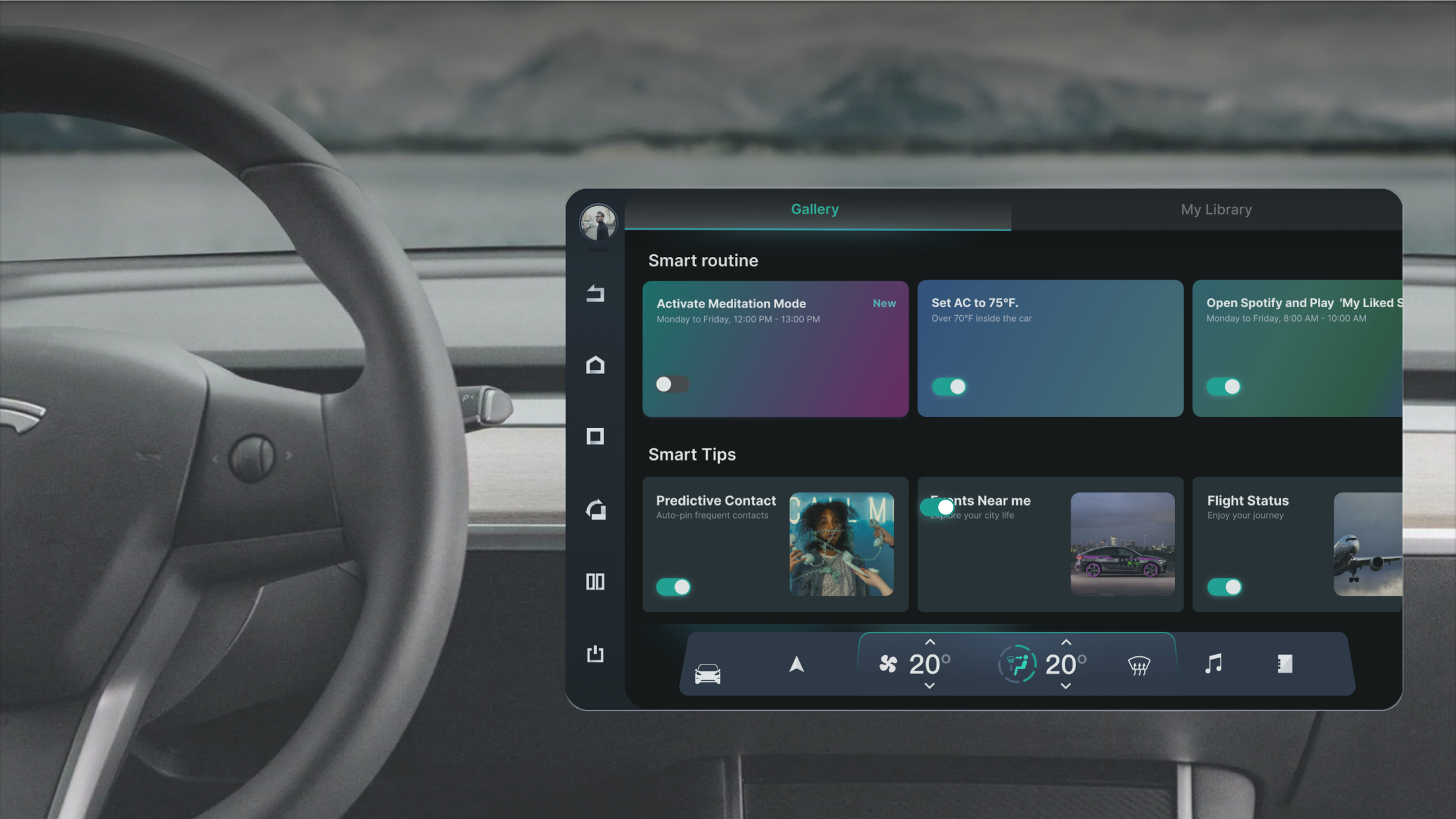
Smart Scenario HMI Design

My Role
UX/HMI designer
Tool
Figma,
Responsibilities
I led AI features HMI design in Audi's in-car system, including research, UX, UI, project management, and copywriting.
Device
Audi In-Car AI App for Front Seat Entertainment System
Context
The 'Smart Scenario' is an in-car AI app on Audi's Center Information Display (CID) that uses AI to learn and adapt to user habits, enhancing driving convenience and enjoyment.
This version is for left-side driving. We adjusted it for different driving positions in various countries.
Design Goals
Provide personalized and fun driving experiences for Audi users while ensuring safety and data authorization.
Compete with new energy vehicles
Boost advertising revenue
Increase Audi membership subscriptions
User Journey

Gallery: Smart Routine & Smart Tips
Smart Routine: It continuously learns the user's in-car habits through each interaction with the car and provides recommendations that match these habits. When certain conditions are met, features will automatically activate, making travel more intelligent and comfortable.
Smart Tips: includes car function features (e.g., contact prediction, fatigue alerts, in-car item loss reminders) and location-based services (e.g., dining, flights, weather, etc.) with AI learning and local provider collaboration."
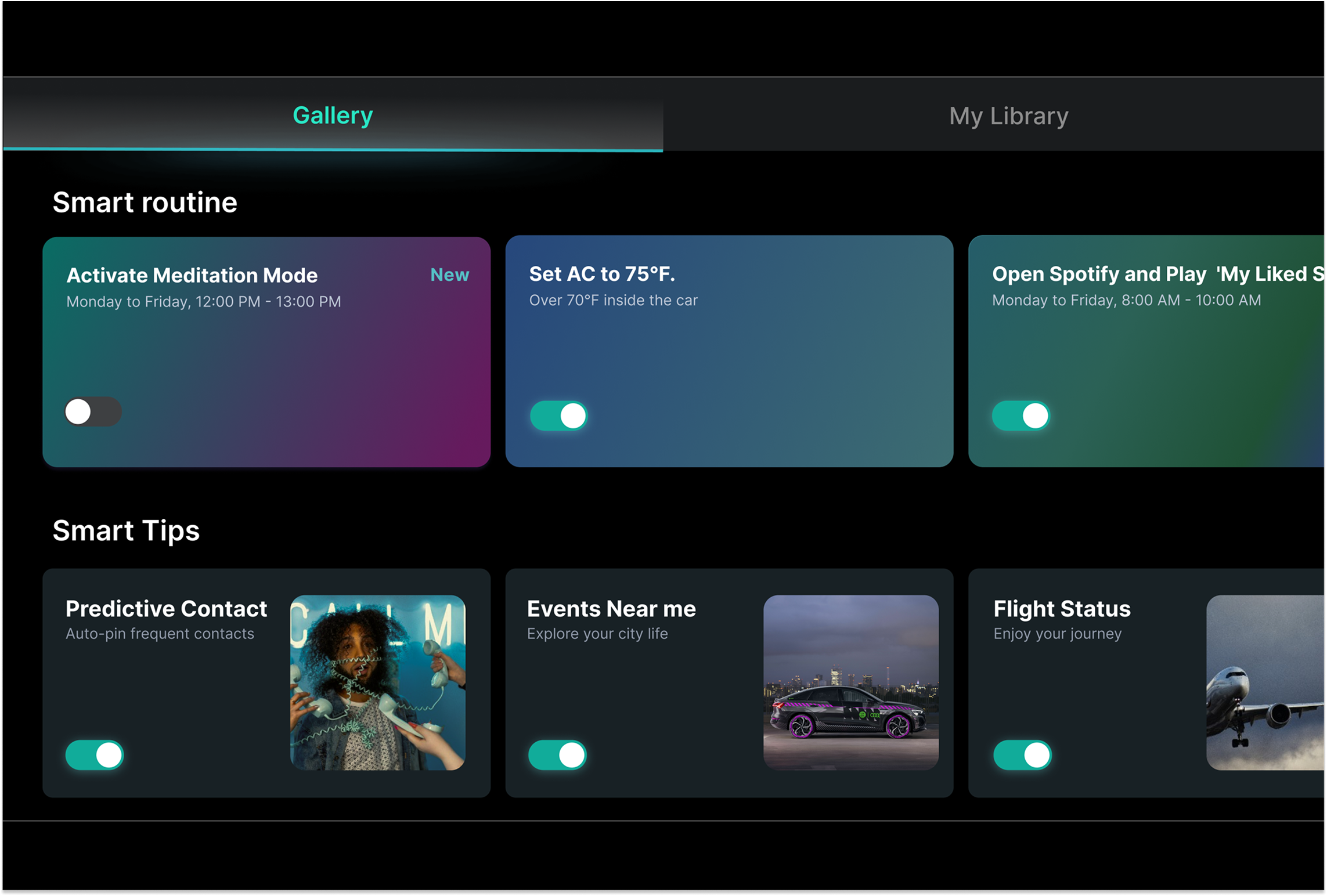
Smart Tips Example: Predictive Contact
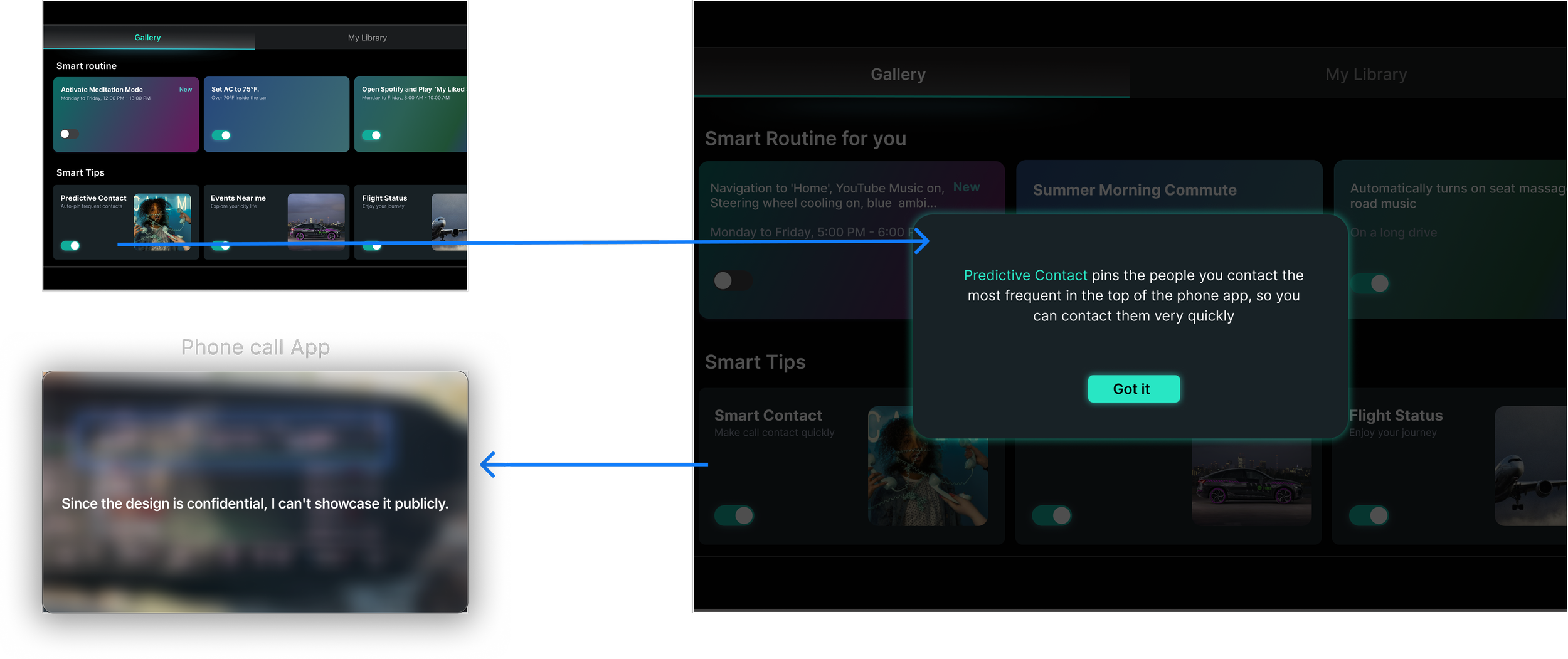
After tapping the ‘Predictive Contact’ card, a pop-up will explain what ‘Predictive Contact’ is and where the recommendations will appear.
My Library: My Save and Unread Tips
My Save: the cards saved by users from Smart Routine and Smart Tips in the Gallery Tab
Unread Tips: The popup recommendations from Smart Tips in Gallery haven't been read by users

Add My Task
Enable users to create and name custom car control combinations with trigger conditions, activated via voice command or automatic triggers. Enhance user experience with convenient function activation anywhere, ensuring a more accurate and enjoyable intelligent experience
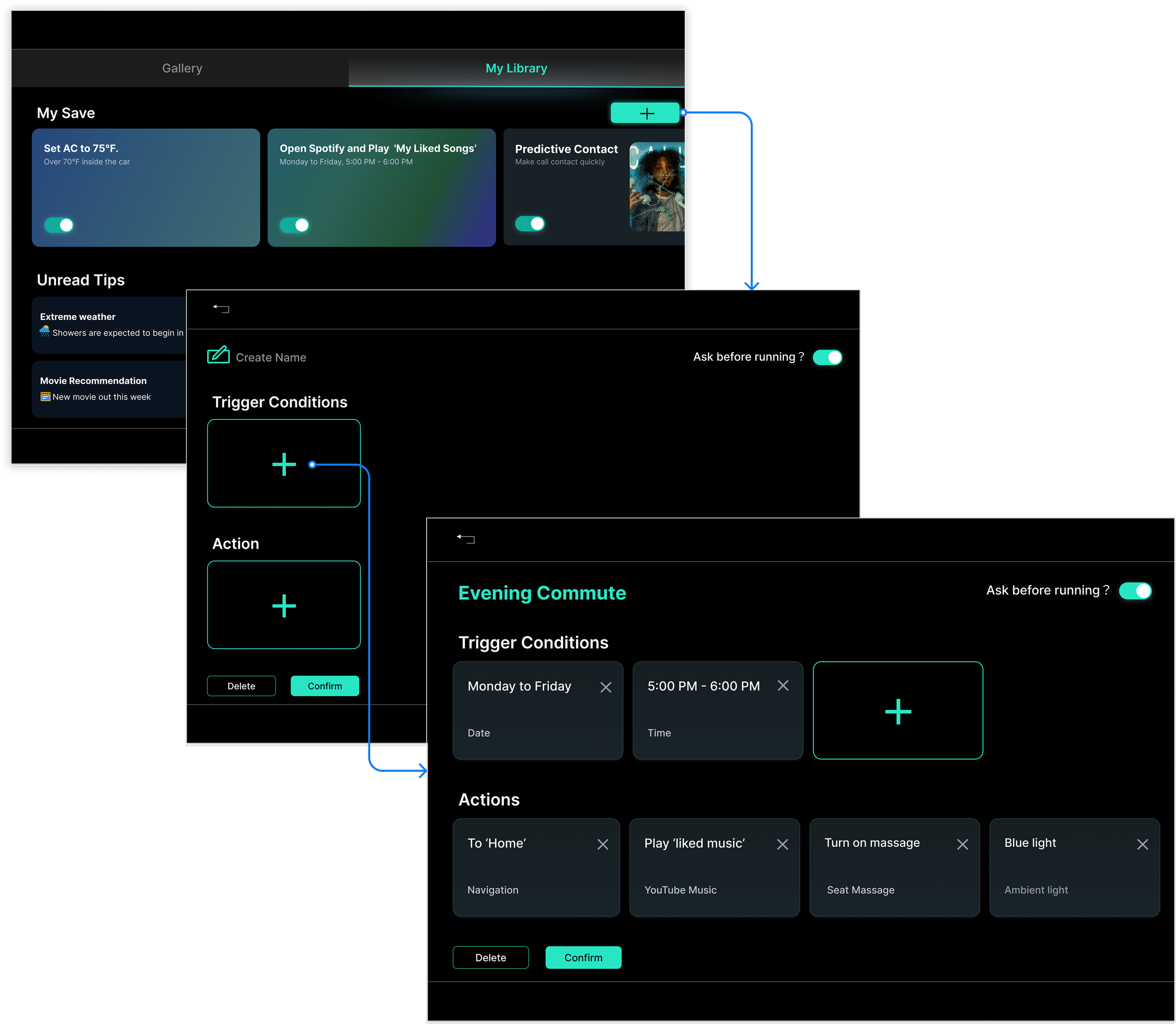
The Design Logic of ‘Add My Task’
Based on user reading habit theory, on non-text-centric websites, users follow a Z-pattern reading mode:
Point 1: Shows the main theme (title).
Point 2: Introduces a secondary call to action to guide users along the Z-pattern.
Center: Displays the main content, directing the visual flow along the Z-pattern.
Point 3: Features a secondary call to action (delete button), leading users horizontally towards the final call to action at Point 4.
Point 4: According to Gestalt’s proximity principle, delete and confirm buttons are grouped. The confirm button, as the primary call to action, is positioned at Point 4.
